
xcrun simctl openurlは、シミュレータ上で指定したURLを開くサブコマンドである。
基本的な使い方
openurl <device> <URL>の形式で実行する。
$ xcrun simctl openurl "TIL OpenURL Test" "https://example.com"
https://のURLを指定すると、Safariが起動して該当ページが表示される。
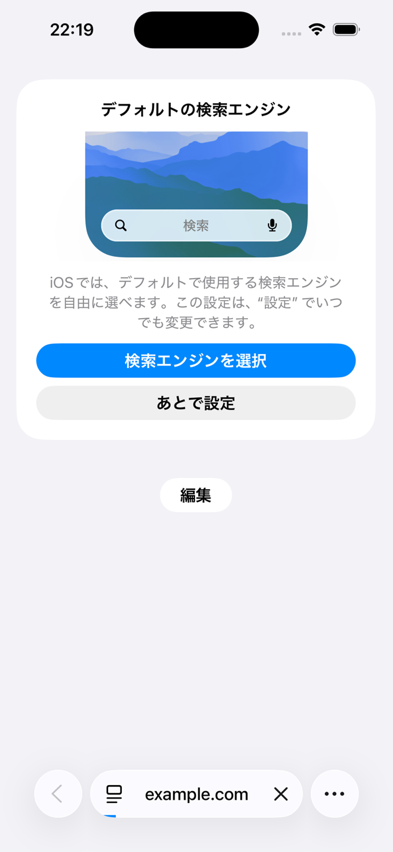
エラーがなければ何も出力されず、終了コードは0になる。
カスタムURLスキームでアプリを起動する
Universal Linkだけでなく、アプリ独自のURLスキームも指定できる。
標準アプリのマップでは、maps://で起動できる。
$ xcrun simctl openurl "TIL OpenURL Test" "maps://?q=Tokyo"
対応するアプリが実際に起動し、URLの内容(この例では検索クエリ)に応じた画面が表示される。
未登録のURLスキームを指定するとエラーになる
対応するアプリが存在しないURLスキームを指定すると、エラーになる。 エラーの内容(ドメイン・コード)はランタイムのバージョンによって異なり、iOS 26.5では次のようになった。
$ xcrun simctl openurl "TIL OpenURL Test" "tilnonexistentscheme://test"
An error was encountered processing the command (domain=LSApplicationWorkspaceErrorDomain, code=115):
Simulator device failed to open tilnonexistentscheme://test.
Underlying error (domain=LSApplicationWorkspaceErrorDomain, code=115):
	The operation couldn't be completed. (LSApplicationWorkspaceErrorDomain error 115.)
同じコマンドをiOS 26.1のデバイスで実行すると、エラーの内容が異なった。
$ xcrun simctl openurl "TIL OpenURL Test (iOS 26.1)" "tilnonexistentscheme://test"
An error was encountered processing the command (domain=NSOSStatusErrorDomain, code=-10814):
Simulator device failed to open tilnonexistentscheme://test.
Underlying error (domain=NSOSStatusErrorDomain, code=-10814):
	The operation couldn't be completed. (OSStatus error -10814.)
起動していないデバイスに対しては実行できない
デバイスがShutdown状態だと、openurlはエラーになる。
$ xcrun simctl shutdown "TIL OpenURL Test"
$ xcrun simctl openurl "TIL OpenURL Test" "https://example.com"
An error was encountered processing the command (domain=com.apple.CoreSimulator.SimError, code=405):
Unable to lookup in current state: Shutdown
事前に対象デバイスをbootしておく必要がある。
活用例: Universal LinkやDeep Linkの動作確認
アプリが対応しているUniversal Link・カスタムURLスキームの動作を、実際にアプリのUIから遷移させずに単体で確認したい場合に使える。
$ xcrun simctl openurl "TIL OpenURL Test" "myapp://products/123"
CI上でのE2Eテストの一環として、特定の画面への直接遷移が正しく動作するかを確認する用途にも利用できる。
\第一線のプログラマーの行動原理を学べる!/
